1
Open the lease-code page and claim the code you will use to activate your ULO license.
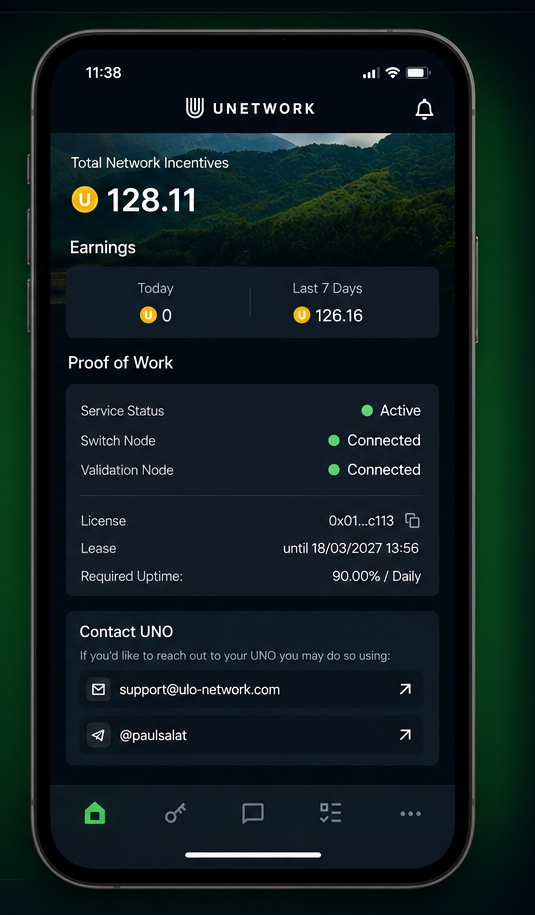
Install the Unetwork app, stay connected, and earn rewards from available network activity.
Open the lease-code page and claim the code you will use to activate your ULO license.
Download the official Unetwork app from Google Play.
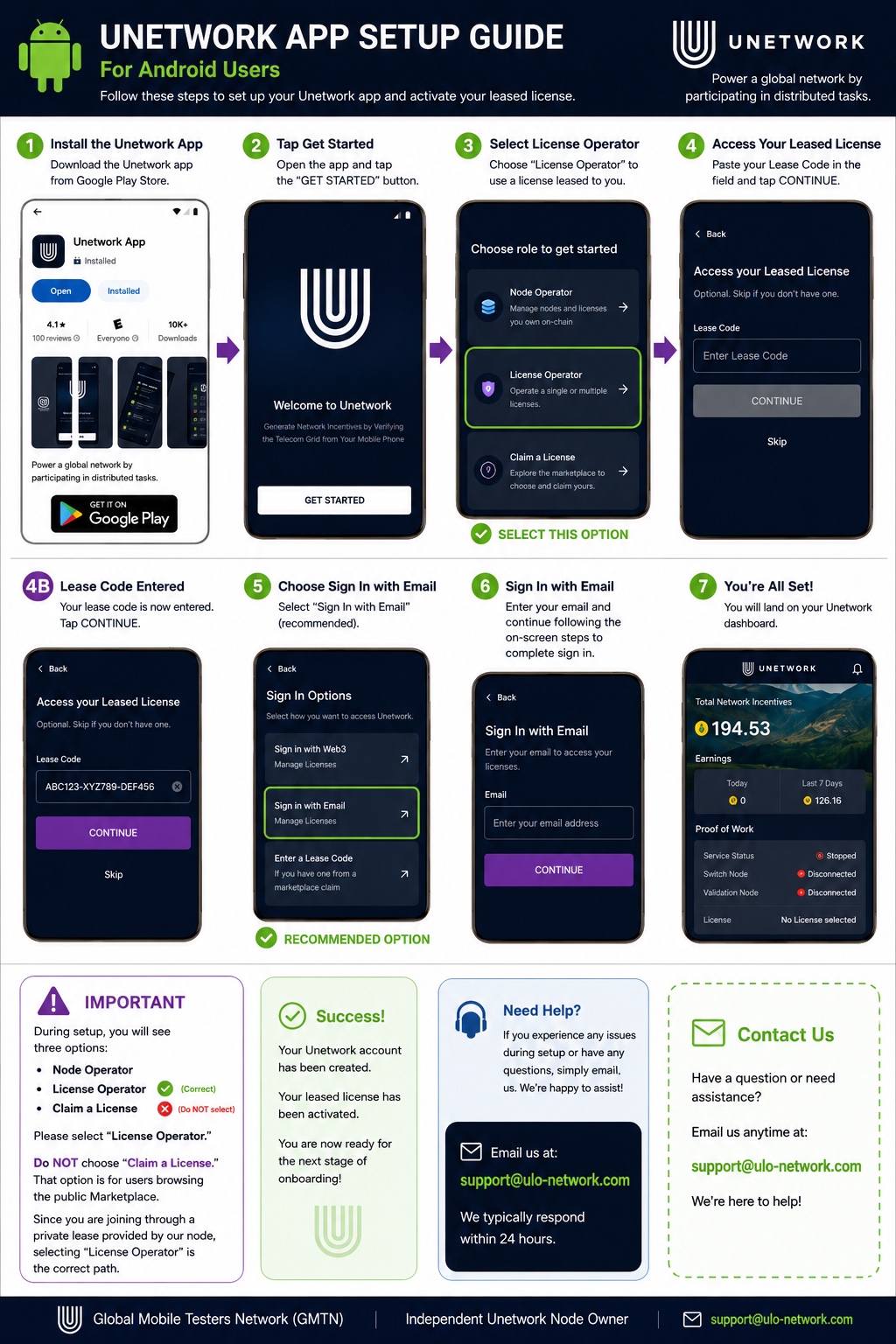
Open the app, choose License Operator, enter your lease code, activate the license, and keep the app running.
Use the visual guide to select License Operator, enter your lease code, and complete activation.
Questions about getting started or activating your license?
[email protected]